
post

Adobe Stock Photos: Ultimate Visual Resource for Creatives

In today’s digital age, high-quality visuals are essential for captivating audiences and conveying messages effectively. As content creators, we’re constantly on the lookout for stunning imagery to enhance our projects. That’s where Adobe Stock Photos comes in.

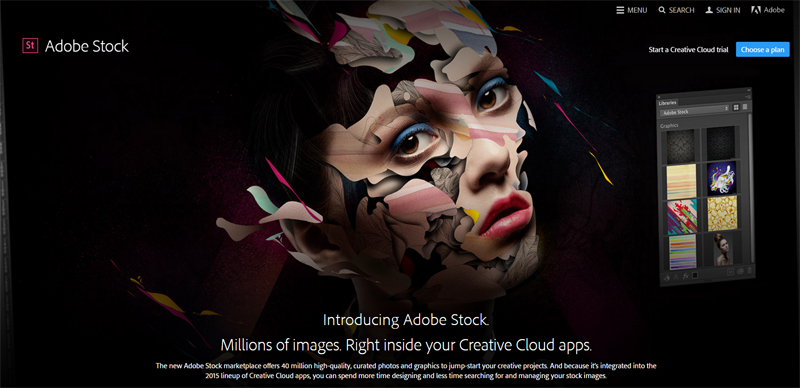
Adobe Stock Photos is a comprehensive platform offering millions of royalty-free images, videos, and graphics. It’s seamlessly integrated with Adobe’s Creative Cloud suite, making it a go-to resource for designers, marketers, and creatives worldwide. We’ll explore how this powerful tool can streamline your workflow and elevate your visual content.

Key Takeaways

  • Adobe Stock Photos offers millions of high-quality, royalty-free images, videos, and graphics integrated with Creative Cloud
  • AI-powered search capabilities and extensive filters help users find perfect assets quickly and efficiently
  • Flexible pricing options include pay-as-you-go and subscription plans, catering to various needs and budgets
  • The platform provides diverse categories, styles, and high-resolution images suitable for professional use across industries
  • While offering seamless integration and quality content, Adobe Stock has a smaller library compared to some competitors

What Is Adobe Stock Photos?

Adobe Stock Photos is a comprehensive digital asset marketplace offering millions of high-quality, royalty-free images, videos, and graphics. It’s designed to meet the diverse visual needs of creatives, marketers, and businesses.

Overview of Adobe’s Stock Photo Service

Adobe Stock provides a vast library of professional-grade visual content. It offers a wide range of categories, including:

  • Photography
  • Illustrations
  • Vector graphics
  • Video footage
  • 3D assets
  • Templates

Users can easily search, preview, and license content directly within the platform. Adobe Stock’s advanced search features, including AI-powered visual search, help creatives find the perfect assets for their projects quickly and efficiently.

Integration with Creative Cloud

Adobe Stock seamlessly integrates with Adobe’s Creative Cloud suite of applications. This integration offers several advantages:

  • Direct access to Adobe Stock within Creative Cloud apps
  • Ability to preview watermarked images in designs before purchasing
  • Automatic syncing of licensed assets across Creative Cloud libraries
  • Easy replacement of low-resolution comps with high-resolution files
  • Time-saving workflows for designers and content creators

The deep integration with Creative Cloud makes Adobe Stock a powerful tool for professionals who rely on Adobe’s ecosystem for their creative work.

Key Features of Adobe Stock Photos

Adobe Stock Photos offers a range of powerful features that set it apart in the stock image marketplace. Let’s explore the key features that make Adobe Stock Photos an invaluable resource for creatives and businesses alike.

Extensive Image Library

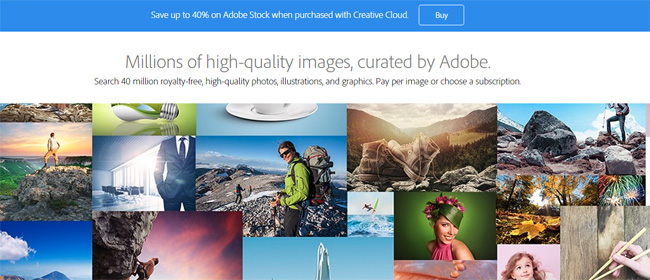
Adobe Stock boasts a vast library of high-quality visual content. With millions of images, videos, and graphics, users have access to a diverse range of assets for any project. The library includes:

  • Professional photography across various genres
  • Vector illustrations and graphics
  • 3D models and textures
  • Video footage and motion graphics
  • Templates for print and digital media

This extensive collection ensures that users can find the perfect visual elements to enhance their creative projects, regardless of their specific needs or industry.

AI-Powered Search Capabilities

Adobe Stock’s advanced search functionality leverages artificial intelligence to streamline the process of finding the right assets. Key features include:

  • Visual search: Upload an image to find similar content
  • Auto-tagging: Accurate metadata for improved search results
  • Aesthetic filters: Refine searches based on color, composition, and style
  • Customized search: Save preferences for faster future searches

These AI-driven tools significantly reduce the time spent searching for assets, allowing creatives to focus more on their projects and less on resource gathering.

Royalty-Free Licensing Options

Adobe Stock Photos offers flexible licensing options to suit various needs and budgets:

  • Standard licenses: For common usage in digital and print media
  • Enhanced licenses: For higher-volume or more specialized uses
  • Extended licenses: For unlimited print runs and merchandise
  • Enterprise solutions: Tailored licensing for large organizations

These royalty-free options provide peace of mind for users, ensuring they can use the assets across multiple projects without recurring fees. Additionally, Adobe Stock’s competitive pricing makes it an attractive option for those seeking cheap stock photos without compromising on quality.

Pricing and Subscription Plans

Adobe Stock Photos offers flexible pricing options to suit various needs and budgets. We’ll explore the different plans available, including pay-as-you-go options and subscription-based models.

Pay-As-You-Go Options

Adobe Stock’s pay-as-you-go model provides a cost-effective solution for users with occasional or specific stock photo needs. This option allows the purchase of individual assets without committing to a long-term subscription. Credits can be bought in packs, offering discounts for larger quantities. These credits don’t expire for a year, providing flexibility for users to acquire high-quality stock photos as needed.

Monthly and Annual Subscriptions

For regular users, Adobe Stock Photos offers monthly and annual subscription plans that provide significant savings. These plans include:

  1. Images only:
  • 10 images per month
  • 40 images per month
  • 350 images per month
  • 750 images per month
  1. All assets:
  • Standard assets (photos, vectors, templates)
  • Premium assets (photos, vectors, templates, videos)

Annual subscriptions typically offer better value, with discounted rates compared to monthly plans. Adobe Creative Cloud subscribers may also benefit from additional savings on Adobe Stock subscriptions, making it an attractive option for those already invested in the Adobe ecosystem.

Quality and Variety of Images

Adobe Stock Photos offers an extensive collection of high-quality images that cater to diverse creative needs. We’ll explore the platform’s commitment to providing top-notch visuals and its wide-ranging selection of styles and categories.

High-Resolution Photos

Adobe Stock Photos excels in offering high-resolution images that meet professional standards. These images are captured by skilled photographers using advanced equipment, ensuring sharp details and vibrant colors. The platform’s rigorous quality control process guarantees that only the best photos make it to the library. Users can confidently select images for various applications, from digital media to large-format printing, without compromising on quality.

Diverse Categories and Styles

Adobe Stock Photos boasts an impressive array of categories and styles to suit any project or creative vision. The platform covers a wide spectrum of subjects, including:

  • Nature and landscapes
  • Business and corporate
  • Lifestyle and people
  • Technology and innovation
  • Food and culinary
  • Abstract and conceptual

This diverse selection ensures that users can find the perfect image to complement their work, regardless of the industry or theme. Adobe Stock also keeps up with current visual trends, regularly updating its library with fresh content that reflects contemporary aesthetics and cultural shifts. Whether you’re looking for minimalist compositions or vibrant, eclectic imagery, Adobe Stock Photos has options to suit your creative needs.

Adobe Stock Photos vs. Competitors

Adobe Stock Photos stands out in the competitive stock image market with its extensive library and seamless integration with Creative Cloud. We’ll compare Adobe Stock to two major competitors: Shutterstock and Getty Images.

Comparison with Shutterstock

Adobe Stock and Shutterstock are both leading platforms in the stock photo industry. Here’s how they compare:

  • Library Size: Shutterstock boasts over 400 million images, while Adobe Stock offers around 200 million assets.
  • Pricing: Both offer subscription plans, but Adobe Stock’s integration with Creative Cloud can provide better value for existing Adobe users.
  • Image Quality: Both platforms maintain high standards, but Adobe Stock’s curation process is often praised for its consistency.
  • Search Functionality: Adobe Stock’s AI-powered visual search gives it an edge in finding relevant content quickly.
  • File Formats: Adobe Stock provides a wider range of file formats, including native AI and PSD files.
  • Pricing: Adobe Stock generally offers more competitive pricing, especially for bulk purchases and subscriptions.
  • Licensing: Both provide royalty-free options, but Adobe Stock’s licensing terms are often more flexible and user-friendly.
  • Integration: Adobe Stock’s seamless integration with Creative Cloud apps gives it a significant advantage for Adobe users.
  • Content Types: While Getty excels in editorial content, Adobe Stock offers a broader range of creative assets, including templates and 3D models.
  • Search Tools: Adobe Stock’s AI-powered search capabilities often outperform Getty’s more traditional search functions.

Pros and Cons of Adobe Stock Photos

Adobe Stock Photos offers a range of benefits and drawbacks for users. We’ll explore the platform’s advantages and potential limitations to help you make an informed decision about using this service.

Advantages for Creative Professionals

Adobe Stock Photos provides several benefits for creative professionals:

  • Seamless integration with Creative Cloud: Users can access and license images directly within Adobe applications, streamlining workflow.
  • High-quality content: The platform offers a vast library of professional-grade images, videos, and graphics.
  • Advanced search features: AI-powered visual search helps users quickly find the perfect assets for their projects.
  • Flexible licensing options: Various pricing models cater to different needs and budgets.
  • Regular updates: The library is frequently refreshed with new content reflecting contemporary trends.
  • Diverse categories: A wide range of themes and styles are available to suit various industries and projects.
  • Cost: While competitive, pricing may be higher than some budget-friendly alternatives.
  • Limited library size: Compared to some competitors, Adobe Stock’s library is smaller, potentially restricting options for specific searches.
  • Learning curve: New users may need time to familiarize themselves with the platform’s features and integration capabilities.
  • Subscription commitment: Some users may find the subscription model less flexible than pay-per-image options.
  • Image uniqueness: Popular images may be used frequently across various projects, potentially reducing exclusivity.

Tips for Maximizing Adobe Stock Photos

We’ve compiled essential tips to help you make the most of Adobe Stock Photos. These strategies will enhance your efficiency and creativity when working with this powerful platform.

Efficient Search Techniques

To find the perfect Adobe Stock Photos for your projects, utilize these advanced search techniques:

  • Use specific keywords: Combine descriptive terms to narrow down results
  • Apply filters: Refine searches by orientation, color, and image type
  • Leverage AI-powered visual search: Upload a reference image to find similar options
  • Explore curated collections: Browse themed sets for inspiration
  • Save searches: Create and save complex queries for future use
  • Use negative keywords: Exclude unwanted results by adding a minus sign before terms

Customizing and Editing Stock Images

Adobe Stock Photos integrate seamlessly with Creative Cloud, allowing for easy customization:

  • Preview watermarked images: Test compositions before purchasing
  • Use Smart Objects: Preserve original image quality while editing in Photoshop
  • Apply Adobe Sensei AI: Automatically remove backgrounds or adjust colors
  • Utilize Adobe Stock templates: Customize pre-designed layouts for quick results
  • Combine multiple stock assets: Create unique compositions by blending images
  • Leverage Adobe Libraries: Store and access frequently used assets across projects

By implementing these techniques, you’ll maximize the value of your Adobe Stock Photos subscription and streamline your creative workflow.

Conclusion

Adobe Stock Photos stands out as a powerful resource for creatives and businesses alike. Its seamless integration with Creative Cloud robust search features and diverse library of high-quality assets make it a top choice in the stock image marketplace. While it may have a few drawbacks we believe the platform’s strengths far outweigh its limitations. By leveraging Adobe Stock’s features and following our tips users can unlock their creative potential and streamline their workflow. As visual content continues to dominate digital communication Adobe Stock Photos remains an invaluable tool for those seeking to create impactful and engaging projects.

post

Adobe Stock: Transform Your Creative Projects with Premium Visual Assets

Adobe Stock has revolutionized the way we approach digital content creation. As a powerful platform offering millions of high-quality images, videos, and illustrations, it’s become an indispensable tool for creatives and businesses alike.

We’ve seen Adobe Stock evolve from a simple stock image repository to a comprehensive resource for visual assets. It’s seamlessly integrated with Adobe’s Creative Cloud suite, allowing users to access and manipulate content directly within their favorite design applications. This integration has streamlined workflows and boosted productivity for countless professionals.

In this article, we’ll explore the features that make Adobe Stock stand out in the competitive world of stock content. We’ll also discuss how it can benefit various industries and creative projects, making it a valuable asset for anyone looking to enhance their visual storytelling.

Key Takeaways

  • Adobe Stock offers millions of high-quality images, videos, and illustrations, seamlessly integrated with Creative Cloud apps
  • The platform features AI-powered search capabilities, making it easy to find the perfect asset for any project
  • Flexible licensing options and subscription plans cater to individual creators, businesses, and large enterprises
  • Adobe Stock’s vast library includes diverse content types like photos, vectors, videos, 3D models, and audio tracks
  • Users can maximize Adobe Stock by leveraging templates, exploring premium collections, and staying updated with visual trends

What Is Adobe Stock?

Adobe Stock is a comprehensive digital asset marketplace that offers millions of high-quality, royalty-free images, videos, templates, and 3D assets. It’s an integral part of Adobe’s Creative Cloud ecosystem, providing creators with seamless access to a vast library of stock content.

We’ve found that Adobe Stock stands out from other stock photo platforms due to its deep integration with Adobe’s suite of creative applications. This integration allows users to search, preview, and license assets directly within their favorite Adobe software, such as Photoshop, Illustrator, and Premiere Pro.

The platform caters to a wide range of creative needs, offering:

  • Professional-grade stock photos
  • Vector illustrations and graphics
  • High-definition video footage
  • 3D models and textures
  • Templates for various design projects
  • Audio tracks for multimedia productions

Adobe Stock’s content is sourced from a global community of contributors, ensuring a diverse and constantly expanding collection. This diversity allows creators to find the perfect assets for their projects, regardless of style, theme, or cultural context.

While Adobe Stock isn’t typically categorized as a cheap stock photo service, it offers competitive pricing options. These include:

  • Flexible subscription plans
  • On-demand credit packs
  • Enterprise solutions for larger organizations

By providing a centralized platform for high-quality stock assets, Adobe Stock streamlines the creative workflow and empowers professionals to produce stunning visual content efficiently.

Key Features of Adobe Stock

Adobe Stock offers a range of powerful features that set it apart in the digital asset marketplace. Let’s explore the key components that make Adobe Stock an indispensable resource for creative professionals.

Extensive Library of Assets

Adobe Stock boasts a vast collection of high-quality digital assets. With millions of stock photos, vector illustrations, videos, and 3D models, creators have access to a diverse range of content for their projects. The library is continually updated with fresh, trending assets, ensuring users always have access to contemporary and relevant material.

Integration with Adobe Creative Cloud

One of Adobe Stock’s standout features is its seamless integration with Adobe Creative Cloud applications. This integration allows users to search, preview, and license assets directly within their preferred Adobe software, such as Photoshop, Illustrator, or Premiere Pro. The ability to work with Adobe Stock photos and other assets without leaving the creative workspace significantly streamlines the design process and enhances productivity.

AI-Powered Search Capabilities

Adobe Stock leverages advanced artificial intelligence to power its search functionality. This innovative feature enables users to find the perfect asset quickly and efficiently. The AI-driven search understands context and visual elements, allowing for more accurate results based on specific criteria such as color schemes, compositions, or even aesthetic styles. This intelligent search capability saves time and helps creators discover assets that precisely match their creative vision.

Licensing Options and Pricing

Adobe Stock offers a range of licensing options and pricing plans to cater to various user needs. We’ll explore the different licenses and subscription plans available for Adobe Stock assets.

Standard License

The Standard License is Adobe Stock’s basic licensing option. It allows users to use assets in most projects, including websites, social media, and marketing materials. This license covers up to 500,000 prints or views of the asset and doesn’t permit resale or distribution of the asset as a standalone file.

Enhanced License

For projects requiring broader usage rights, Adobe Stock offers an Enhanced License. This option allows for unlimited prints or views, use in merchandise for resale, and inclusion in templates or electronic items for redistribution. The Enhanced License provides greater flexibility for commercial projects and large-scale distribution.

Subscription Plans

Adobe Stock provides several subscription plans to suit different usage needs:

  1. Annual plan with monthly payments: Offers a set number of standard assets per month at a discounted rate
  2. Annual plan with prepaid option: Provides a year’s worth of assets upfront at the best value
  3. Monthly plan: Allows for short-term commitments with a higher per-asset cost
  4. On-demand packs: Ideal for occasional users who need a small number of assets

These plans cater to various budgets and usage frequencies, making Adobe Stock accessible to individual creators and large enterprises alike. While not categorized as cheap stock photos, Adobe Stock’s pricing is competitive considering the quality and integration benefits offered.

Adobe Stock for Businesses

Adobe Stock offers tailored solutions for businesses of all sizes, providing a vast library of high-quality stock photos and creative assets to meet diverse corporate needs. We’ve found that companies can significantly enhance their visual content strategies by leveraging Adobe Stock’s extensive collection.

Enterprise Solutions

For large organizations, Adobe Stock Enterprise provides:

  • Custom licensing agreements to suit specific business requirements
  • Dedicated account management for personalized support
  • Integration with existing digital asset management systems
  • Advanced rights management tools to ensure compliance across teams

Team Plans

Adobe Stock’s team plans cater to smaller businesses and creative departments:

  • Shared asset libraries for improved collaboration
  • Flexible licensing options to accommodate various project scopes
  • Admin consoles for easy user management and license distribution

Integration with Creative Workflow

Adobe Stock seamlessly integrates with business workflows through:

  • Direct access within Adobe Creative Cloud applications
  • Easy asset sharing across departments
  • Customizable brand guidelines and asset collections

By incorporating Adobe Stock into their creative processes, businesses can:

  1. Reduce time spent searching for appropriate visuals
  2. Maintain brand consistency across marketing materials
  3. Scale content production efficiently without compromising quality

Adobe Stock’s business-oriented features make it a valuable resource for companies seeking to elevate their visual content while streamlining their creative workflows.

Quality and Diversity of Content

Adobe Stock’s reputation for excellence stems from its vast library of high-quality, diverse assets. We’ve found that the platform offers an impressive array of stock photos, videos, and other digital content that meet professional standards across various industries.

Image Quality

Adobe Stock photos consistently deliver exceptional quality. The platform’s stringent review process ensures that only the best images make it to the library. We’ve observed that:

  • Resolution: Most images are available in high resolution, suitable for large-format printing
  • Clarity: Photos exhibit sharp focus and clear details
  • Color accuracy: Images feature true-to-life colors and balanced tones

Content Diversity

The diversity of Adobe Stock’s content is remarkable, catering to a wide range of creative needs:

  • Subject matter: Covers everything from business and lifestyle to nature and technology
  • Cultural representation: Includes imagery from various cultures and ethnicities
  • Artistic styles: Offers both traditional and contemporary visual approaches

Unique and Trending Content

Adobe Stock stays ahead of visual trends by continuously updating its library:

  • Seasonal content: Regular updates with timely and relevant imagery
  • Emerging themes: Quick response to new cultural and societal trends
  • Exclusive collections: Partnerships with renowned artists and brands for unique content

Video and Audio Assets

Beyond stock photos, Adobe Stock excels in providing high-quality video and audio content:

  • 4K and HD footage: Cinematic-quality video clips for professional productions
  • Stock music and sound effects: Royalty-free audio to enhance multimedia projects

3D and Vector Resources

For designers and illustrators, Adobe Stock offers:

  • 3D models: Detailed, customizable 3D assets for various industries
  • Vector graphics: Scalable illustrations and icons for versatile design use

By maintaining such a comprehensive and high-quality collection, Adobe Stock positions itself as a premium resource for creative professionals seeking top-tier visual content.

Pros and Cons of Adobe Stock

Advantages of Adobe Stock

Adobe Stock offers several compelling benefits for creative professionals:

  1. Seamless integration: Works directly within Adobe Creative Cloud applications
  2. Vast library: Millions of high-quality images, videos, and 3D assets
  3. AI-powered search: Advanced algorithms for efficient asset discovery
  4. Professional-grade content: Stringent review process ensures top-tier quality
  5. Diverse asset types: Includes photos, vectors, videos, audio, and 3D models
  6. Regular updates: Continuously refreshed with trending and seasonal content
  7. Flexible licensing: Options for various project needs and budget sizes

Drawbacks of Adobe Stock

Despite its strengths, Adobe Stock has some potential downsides:

  1. Cost: Not considered a cheap stock photo option compared to some competitors
  2. Learning curve: Advanced features may require time to master
  3. Subscription model: May not be cost-effective for infrequent users
  4. Adobe ecosystem reliance: Full benefits tied to Creative Cloud subscription
  5. Asset limitations: Some niche or specific content may be harder to find
  6. Overwhelming choice: Extensive library can be daunting for some users
  7. Internet dependency: Requires stable connection for seamless functionality
  1. Subscription plans: Provide value for frequent users but may be costly for others
  2. On-demand packs: Flexible option for occasional needs, though at higher per-asset cost
  3. Enterprise solutions: Customizable for large organizations but require negotiation
  4. Team plans: Facilitate collaboration but add complexity to asset management
  5. Standard vs. Enhanced licensing: Offers flexibility but requires careful consideration

Comparison with Other Stock Image Platforms

When comparing Adobe Stock to other stock image platforms, we find several key differentiators that set it apart in the competitive landscape of digital asset marketplaces.

Integration with Creative Cloud

Adobe Stock’s seamless integration with Creative Cloud applications gives it a significant edge. Unlike standalone platforms, users can access Adobe Stock directly within Photoshop, Illustrator, and other Creative Cloud apps, streamlining the workflow for creative professionals.

Quality and Diversity of Assets

While many platforms offer stock photos, Adobe Stock provides a comprehensive library of high-quality assets:

  • Professional-grade stock photos
  • Vector illustrations
  • 4K video footage
  • 3D models
  • Templates
  • Audio tracks

This diverse range caters to a wider array of creative needs compared to platforms focused primarily on photography.

AI-Powered Search Capabilities

Adobe Stock leverages advanced AI technology for asset discovery, offering:

  • Visual search functionality
  • Auto-tagging of images
  • Customized search results based on user behavior

These features enhance productivity and help users find the perfect asset more efficiently than traditional keyword-based searches found in many other platforms.

Pricing Structure

Plan Type Adobe Stock Competitors (Average)
Monthly Subscription $29.99 (10 assets) $25-$35 (varies)
Annual Subscription $239.88/year $199-$299/year
On-demand Packs Available Limited availability

While Adobe Stock isn’t positioned as a cheap stock photo service, its pricing remains competitive, especially considering the added value of Creative Cloud integration.

Licensing Options

Adobe Stock offers flexible licensing options:

  • Standard License
  • Enhanced License
  • Extended License

This tiered approach provides more clarity and versatility compared to some platforms with limited licensing structures.

Enterprise Solutions

For large organizations, Adobe Stock Enterprise offers:

  • Custom licensing agreements
  • Dedicated account management
  • Integration with digital asset management systems

These tailored solutions are more comprehensive than what many competitors provide for enterprise clients.

Content Curation and Trends

Adobe Stock regularly updates its library with:

  • Seasonal content
  • Emerging visual trends
  • Exclusive collections from renowned artists and brands

This focus on curated, trend-driven content helps creatives stay current, a feature not as prominent in some other stock image platforms.

By offering a unique combination of integration, quality, diversity, and advanced features, Adobe Stock positions itself as a premium choice for creative professionals and businesses seeking top-tier visual content within a streamlined workflow.

Tips for Making the Most of Adobe Stock

Optimize Your Search Techniques

Adobe Stock’s AI-powered search capabilities offer advanced features to find the perfect asset quickly. Use specific keywords, filter options, and visual search tools to narrow down results. Combine search terms, utilize the color filter, and explore similar images to refine your search and discover exactly what you need for your projects.

Leverage Creative Cloud Integration

Take full advantage of Adobe Stock’s seamless integration with Creative Cloud applications. Search for and preview stock assets directly within your favorite Adobe apps like Photoshop, Illustrator, and Premiere Pro. This integration streamlines your workflow, allowing you to experiment with different stock photos or vectors without leaving your creative environment.

Utilize Adobe Stock Templates

Save time and boost productivity by using Adobe Stock templates. These pre-designed layouts for various projects, including social media posts, brochures, and presentations, provide a solid starting point. Customize templates to match your brand guidelines, ensuring consistency across your visual content while reducing production time.

Explore Premium Content Collections

Don’t overlook Adobe Stock’s premium collections, which feature high-quality, curated content from renowned artists and brands. These exclusive assets can elevate your projects and help you stand out in a crowded digital landscape. While they may come at a higher price point, the unique and professional-grade content often justifies the investment for important projects.

Stay Updated with Visual Trends

Keep your content fresh and relevant by exploring Adobe Stock’s trend reports and seasonal collections. These curated sets of assets reflect current visual trends and emerging themes across various industries. Incorporating these trending elements into your projects ensures your designs remain contemporary and resonate with your audience.

Maximize License Usage

Understand the different licensing options available on Adobe Stock to make the most of your purchases. The Standard License covers most usage scenarios, while the Enhanced License offers broader rights for commercial projects. For enterprise users, explore custom licensing agreements to tailor usage rights to your specific needs, ensuring compliance and maximizing value.

Collaborate Using Libraries

Utilize Adobe Stock’s library features to collaborate effectively with team members. Create shared collections of assets, organize them by project or theme, and easily distribute them across your team. This centralized approach to asset management improves consistency and efficiency in your creative workflows.

Combine Stock Assets Creatively

Don’t limit yourself to using stock photos or vectors as standalone elements. Experiment with combining multiple Adobe Stock assets to create unique compositions. Mix and match photos, illustrations, and 3D elements to craft original designs that set your work apart from competitors using the same stock resources.

Conclusion

Adobe Stock stands as a powerhouse in the world of digital asset marketplaces. We’ve explored its seamless integration with Creative Cloud its vast library of high-quality content and its advanced AI-powered search capabilities. While it may come with a higher price tag it offers unparalleled value for creative professionals and businesses alike. By leveraging Adobe Stock’s features and following our tips users can elevate their projects streamline workflows and stay ahead of visual trends. As the digital landscape evolves Adobe Stock continues to be a vital resource for those seeking excellence in visual content creation.

post

Mastering Adobe Stock: Your Ultimate Guide to Blog Images

We’re thrilled to dive into the world of Adobe Stock and show you how it can transform your blog’s visual appeal! As bloggers, we know the power of eye-catching images to grab readers’ attention and keep them engaged. That’s where Adobe Stock comes in – it’s a game-changer for finding high-quality visuals that’ll make your content pop.

Key Takeaways

  • Adobe Stock offers a vast library of high-quality stock photos for blogs, enhancing visual appeal and engagement
  • Creating an account and navigating the user-friendly interface allows easy access to millions of professional images
  • Effective keyword usage and filters help find the perfect blog images quickly and efficiently
  • Understanding licensing types ensures proper usage rights and legal compliance for blog content
  • Optimizing stock images through resizing, cropping, and adding text or graphics creates unique visuals for your blog

Understanding Adobe Stock for Blog Images

Adobe Stock revolutionizes how bloggers source and use images for their content. Let’s dive into the specifics of this powerful platform and explore why it’s become a go-to resource for bloggers worldwide.

What is Adobe Stock?

Adobe Stock is a vast digital marketplace offering millions of high-quality stock photos, illustrations, vectors, and videos. It’s seamlessly integrated with Adobe’s Creative Cloud suite, making it incredibly convenient for bloggers to find and use professional-grade visuals. With its extensive library of Stock Photos for Blogs, Adobe Stock caters to diverse needs, ensuring bloggers can find the perfect image to complement their content.

  1. Vast Selection: Adobe Stock boasts an extensive collection of images, covering virtually every topic imaginable.
  2. Time-Saving: The platform’s intuitive search functionality allows bloggers to quickly find relevant images, streamlining the content creation process.
  3. Professional Quality: All images on Adobe Stock meet high standards, ensuring bloggers can maintain a polished and professional look.
  4. Legal Peace of Mind: Adobe Stock provides proper licensing for all its images, protecting bloggers from copyright issues.
  5. Seamless Integration: For bloggers using Adobe’s Creative Cloud apps, Adobe Stock integrates directly, making image editing and implementation a breeze.
  6. Regular Updates: The platform constantly adds new content, keeping blog visuals fresh and current.
  7. Customization Options: Many Adobe Stock images can be edited, allowing bloggers to tailor visuals to their specific needs.
  8. Cost-Effective Plans: Adobe Stock offers various subscription options, making it accessible for bloggers with different budgets and needs.

By leveraging Adobe Stock, bloggers can elevate their visual content, making their posts more engaging and professional. This powerful tool empowers creators to focus on crafting compelling content while easily accessing top-notch visuals.

Getting Started with Adobe Stock

We’re thrilled to guide you through the process of getting started with Adobe Stock for your blog images. Let’s dive into the essential steps to begin your journey with this powerful platform.

Creating an Account

To access Adobe Stock’s vast library of high-quality stock photos for blogs, you’ll need to create an account. Here’s how:

  1. Visit the Adobe Stock website
  2. Click on the “Sign Up” or “Create Account” button
  3. Enter your email address and create a strong password
  4. Provide necessary personal information
  5. Choose your preferred subscription plan
  6. Verify your email address

Once you’ve completed these steps, you’re ready to explore Adobe Stock’s incredible selection of images for your blog.

Navigating the Interface

Adobe Stock’s user-friendly interface makes finding the perfect images for your blog a breeze. Here’s what you need to know:

  • Search bar: Located at the top of the page, it’s your gateway to millions of stock photos
  • Filters: Refine your search by image type, orientation, color, and more
  • Collections: Save and organize your favorite images for easy access
  • License history: Keep track of the images you’ve licensed for your blog
  • Adobe Creative Cloud integration: Seamlessly access Adobe Stock within other Adobe applications

By familiarizing yourself with these features, you’ll be able to quickly find and download the ideal stock photos for your blog posts, saving time and enhancing your visual content.

Searching for the Perfect Blog Image

We’re thrilled to guide you through the process of finding the ideal Stock Photos for Blogs using Adobe Stock. Let’s dive into some exciting techniques to streamline your search and discover images that’ll make your blog pop!

Using Keywords Effectively

When searching for the perfect blog image on Adobe Stock, keywords are your best friends! Start with specific, descriptive terms related to your blog topic. For example, if you’re writing about healthy eating, try “fresh vegetables” or “colorful salad.” Experiment with synonyms and related concepts to broaden your options. Don’t forget to use both singular and plural forms of words, as well as variations like “running” and “runner” to capture different image types.

Applying Filters and Categories

Adobe Stock’s powerful filtering system helps narrow down your search results quickly. Use the category filters to focus on specific image types like “Nature,” “Business,” or “Lifestyle.” Apply additional filters such as orientation (landscape or portrait), color, and number of people to refine your results further. The “Similar” feature is a gem – it shows images with a comparable style or subject matter, often leading to unexpected perfect matches for your blog post.

Exploring Image Options

Adobe Stock offers an exciting array of options for bloggers seeking the perfect visuals. We’ll dive into the essential features that make choosing Stock Photos for Blogs a breeze.

Previewing and Comparing Images

Adobe Stock’s preview feature is a game-changer for bloggers. We can easily compare multiple images side by side, zooming in to examine details and quality. This tool lets us visualize how each image will fit our blog’s aesthetic, ensuring we pick the most impactful visuals. The comparison feature also helps in selecting complementary images for a cohesive look across our blog posts.

Understanding Licensing Types

Navigating Adobe Stock’s licensing options is crucial for bloggers. We’ve got access to various license types, each tailored to different needs:

  1. Standard License: Perfect for most blog uses, allowing images in digital publications.
  2. Enhanced License: Offers extended usage rights, ideal for merchandise or print runs.
  3. Extended License: Provides the broadest rights, suitable for large-scale commercial projects.

By understanding these options, we can confidently select images that align with our blog’s needs and legal requirements. Adobe Stock simplifies this process, clearly displaying licensing information for each image, ensuring we make informed decisions when choosing Stock Photos for Blogs.

Downloading and Using Stock Images

We’re thrilled to guide you through the process of downloading and using Adobe Stock images for your blog. This section covers essential steps to make your stock photo journey smooth and efficient.

Saving Images to Your Library

Adobe Stock makes it easy to save and organize your favorite images. Here’s how:

  1. Click the “Save to Library” button on any image you like
  2. Create custom collections for different blog categories
  3. Access saved images anytime from your Adobe Creative Cloud library
  4. Use the “Similar” feature to find related stock photos for blogs

By saving images to your library, you’ll streamline your workflow and have a ready-to-use collection of stunning visuals for future blog posts.

Integrating with Adobe Creative Cloud

Adobe Stock’s seamless integration with Creative Cloud apps elevates your blogging experience:

  1. Access stock photos directly within Photoshop, Illustrator, or InDesign
  2. Edit and customize images without leaving your preferred design app
  3. License images with a single click while working on your blog layout
  4. Sync your saved Adobe Stock images across all your devices

This integration saves time and enhances productivity, allowing you to focus on creating captivating blog content with professional-quality visuals.

Optimizing Stock Images for Your Blog

After finding the perfect stock photos for your blog on Adobe Stock, it’s crucial to optimize them for maximum impact. We’ll explore some effective techniques to enhance your chosen images and make them truly shine on your blog.

Resizing and Cropping

Adobe Stock images come in various sizes, but they’re not always a perfect fit for your blog’s layout. We love using Adobe Creative Cloud apps to resize and crop our stock photos:

  • Open the image in Adobe Photoshop or Lightroom
  • Adjust the dimensions to match your blog’s requirements
  • Use the crop tool to focus on the most impactful part of the image
  • Maintain aspect ratios to prevent distortion
  • Export in web-friendly formats like JPEG or PNG for faster loading times

Remember, optimizing image size not only improves your blog’s aesthetics but also boosts its loading speed, which is crucial for user experience and SEO.

Adding Text and Graphics

Stock photos for blogs can be transformed into eye-catching visuals with the addition of text and graphics. Here’s how we elevate our Adobe Stock images:

  • Use Adobe Photoshop or Illustrator to add text overlays
  • Choose fonts that complement your blog’s style
  • Create graphic elements like shapes or icons to enhance the image
  • Adjust opacity and blending modes for a cohesive look
  • Experiment with color overlays to match your brand palette

By adding these custom elements, we turn stock photos into unique visuals that perfectly align with our blog’s message and branding. This personalization helps our content stand out and engage readers more effectively.

Best Practices for Stock Image Selection

Selecting the right stock images for your blog is crucial for creating a visually appealing and engaging experience for your readers. Let’s explore some best practices to help you make the most of Adobe Stock’s vast library of Stock Photos for Blogs.

Maintaining Visual Consistency

We’re thrilled to share that maintaining visual consistency is key to creating a cohesive brand identity for your blog. When using Adobe Stock, stick to a consistent style, color palette, and overall aesthetic across your chosen images. This approach creates a unified look that reinforces your blog’s brand and makes your content instantly recognizable. Select images with similar lighting, composition, and mood to establish a visual thread throughout your posts, enhancing the reader’s experience and strengthening your blog’s identity.

Avoiding Overused Images

We’re excited to help you steer clear of cliché and overused stock photos that can make your blog feel generic. Adobe Stock offers millions of unique images, so take advantage of this diversity to find fresh, original visuals. Instead of opting for the first image you see, explore different pages of search results to discover hidden gems. Use Adobe Stock’s advanced search filters to find less common images that still convey your message effectively. By selecting distinctive visuals, you’ll set your blog apart and create a more engaging experience for your readers.

Legal Considerations

When using Adobe Stock for blog images, it’s crucial to understand the legal aspects to ensure compliance and protect your content. Let’s dive into the key legal considerations you need to keep in mind.

Understanding Usage Rights

Adobe Stock offers various licensing options for Stock Photos for Blogs. We’re excited to share that most images on Adobe Stock come with a standard license, which allows you to use them in your blog posts without worry. This license typically covers:

  • Worldwide, perpetual use
  • Unlimited web impressions
  • Use in social media posts
  • Inclusion in email marketing campaigns

It’s important to note that some images may have extended licensing requirements for specific uses. Always check the licensing terms for each image to ensure you’re using it correctly.

Proper Attribution and Credits

While Adobe Stock doesn’t always require attribution for images used under their standard license, it’s considered good practice to credit the creator. We’re thrilled to tell you about the easy ways to provide proper attribution:

  1. Include the photographer’s name in the image caption
  2. Add a credit line at the end of your blog post
  3. Create a dedicated “Image Credits” section on your website

When crediting, use this format: “Image by [Artist Name] / Adobe Stock”

By following these legal considerations, we can confidently use Adobe Stock images in our blogs while respecting the rights of creators and maintaining professional integrity.

Maximizing Your Adobe Stock Subscription

We’re thrilled to share some exciting ways to make the most of your Adobe Stock subscription for blog images. Let’s dive into budget-friendly tips and explore alternative image sources to enhance your visual content strategy.

Budget-Friendly Tips

To maximize your Adobe Stock subscription, we’ve got some fantastic money-saving strategies:

  • Bulk downloading: Take advantage of bulk image downloads during slower periods to build a library for future use.
  • Utilize credits wisely: Plan your content calendar in advance to make the most of your monthly credit allowance.
  • Explore less popular categories: Find hidden gems in less competitive categories for unique, cost-effective options.
  • Leverage comp images: Use watermarked comp images for mockups before committing to a purchase.
  • Monitor seasonal deals: Keep an eye out for Adobe Stock’s special promotions and discounts throughout the year.

Exploring Alternative Image Sources

While Adobe Stock offers an impressive collection of stock photos for blogs, it’s exciting to mix things up with alternative sources:

  • User-generated content: Encourage readers to submit their own photos for a chance to be featured.
  • Creative Commons: Explore platforms like Flickr for free-to-use images with proper attribution.
  • Public domain resources: Check out government websites or museums for copyright-free historical images.
  • Custom illustrations: Create unique graphics using Adobe Creative Cloud tools to complement stock photos.
  • Partner with local photographers: Collaborate with up-and-coming artists for exclusive, location-specific content.

By combining these strategies with your Adobe Stock subscription, we’ll create a diverse and captivating visual experience for your blog readers.

Conclusion

We’re thrilled about the endless possibilities Adobe Stock offers for elevating your blog’s visual appeal! With its vast library professional-quality images and seamless integration with Creative Cloud it’s a game-changer for bloggers. By following our tips on smart searching effective selection and legal compliance you’ll be well-equipped to create stunning visually engaging content. Don’t forget to explore alternative sources too for a truly unique blog aesthetic. Now it’s time to dive in and start transforming your blog with captivating visuals. Happy image hunting!

Three Licenses for your Adobe Stock Photos

An Adobe Stock license allows you to use the images and footages anywhere in the world. Since the stock site is accessible in most countries and available in 20 languages, you can search for the perfect image to jumpstart your creative project easily and fast. The license never expires, too. You can use the images anytime you need.

Where can you use Adobe Stock photos? You can use them in:

  • Print
  • Presentations
  • Social Media Sites
  • Websites

However, you cannot distribute the Adobe Stock photos by posting them online or any way that would allow other people to use them without getting their own license.

Here are the three types of license offered at Adobe Stock:

  • Standard. This type of license allows you to create 500,000 copies of the Adobe Stock photos in print, software, and digital documents. The number of audience allowed for broadcasting is 500,000 too. You can also create products for resale such as t-shirts and coffee mugs.
  • Enhanced. An Enhanced License essentially have all the rights that a Standard License include. The only difference is that this type of license removes the 500,000 copy restriction – meaning you can create unlimited copies of the photos. All videos and premium images come with an Enhanced License.
  • Extended. An Extended License provides all the rights granted by an Enhanced license, plus unlimited copies and production for resale.

Note that these licenses are only applicable to individuals and Creative Cloud teams only. If you wish to purchase Adobe Stock photos for your enterprise, you need to contact the stock site. If you are not sure which license to get or if you need an upgrade from Standard license, you can too. Just open your license history page.

Although the stock site is relatively new to the industry, it offers premium quality Adobe Stock photos that will surely enhance your creative projects. It has one of the largest image libraries in the market, so you can be certain that you will find what you are looking for.